 Skip to content
 Deutsch
 Vouchers / Music
 Merch store
 Overview
 Big Molimo AK
 Gilbert Bishop
 Einwelt
 DGS
DGS Artist Talk
 Erich Kanli
 Grosses K
 D.O Double Dars
 Speaker
 Singer Female
 Singer Male
 Rapper
 Internship
 Internship AI artist
 Music producer
 Copywriter
 Dancer
Digitization
Digitizing Analog Media: What to Settle Before Your Appointment

Oct
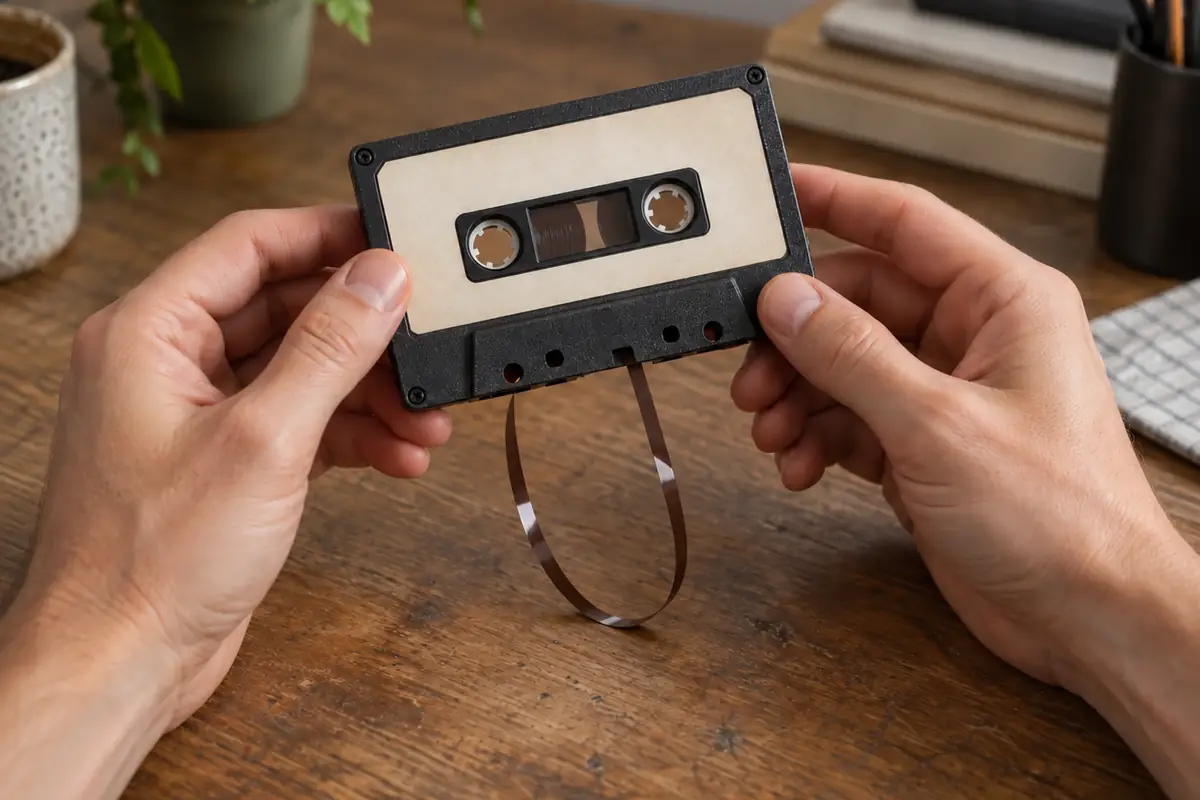
ⓘ AI imageThe featured image is an AI-generated illustration.
They are somewhere in the flat: the box of cassettes from family holidays, your father’s records, two VHS tapes from a wedding, a MiniDisc with your band’s first recording. All still there — just no machine left to play them. Digitizing analog media solves that, but the quality of the result is decided before the appointment, not during it. This article shows you what to settle before you carry your media into the studio.
In short
- Sort and triage the material. Magnetic tape first: cassettes, reel tapes and VHS change over time more than a record sitting unplayed on a shelf.
- Define the purpose. Archive or listening? For an archive, high and uncompressed resolution matters; for listening on a phone, the MP3 you get anyway is enough.
- Plan for real time. A 90-minute cassette takes 90 minutes to transfer. That cannot be sped up, and it determines which package fits.
- Prepare the metadata. Titles, artists, running order; for private recordings the date, place and who is heard. What you do not write down now is hard to reconstruct later.
- Clarify the use. For your own recordings it is simple. For commercially released material: private use yes, distribution or public performance no.
- Two copies in two places. One hard drive is not an archive.
What "digitizing" actually means technically
Copying a file takes seconds. Digitizing a record takes as long as the record plays. The reason: analog media are played back in real time and recorded while they play. There is no fast-forward that delivers the same quality.
Everything else follows from that. The Soundstarstudios packages are therefore graded by transfer time — 60 minutes in Basic and Pro, 90 minutes in Ultra, each "or one album length". Bring twelve 90-minute cassettes and you are talking about 18 hours of transfer time. That is no reason not to do it — but it is a reason to set priorities first.
Which media you can bring
According to the service page, vinyl, VHS, tape, audio cassette, MiniDisc, CD and DVD are transferred; Super-VHS and Blu-ray are transferred too. In practice:

- Vinyl — LP, single, maxi. Shellac can be discussed too, but ask in advance: it needs the right stylus.
- Audio cassette — standard compact cassette, C60 to C120.
- Reel tape — provided the format matches the available machine. Clarify beforehand.
- VHS and Super-VHS — are digitized completely, picture and sound. We agree on the video format you need when you book your appointment. Raise other video tape formats in advance.
- MiniDisc — a digital carrier, but with its own problems: disc rot, unreadable sectors, broken sessions.
- CD, DVD and Blu-ray — copying, provided you are entitled to do so. Disc rot, unreadable sectors and broken sessions occur here too.
Check the condition before you pack
Take half an hour and look at each item. Whatever you find belongs in the briefing:
- Vinyl: dust and fingerprints are normal. Deep scratches, warping and mould in the inner sleeve are not. Do not treat records with household remedies — a badly cleaned record sounds worse than a dusty one.
- Audio cassette: is the tape taut or looping? Is the shell cracked? Does it smell of vinegar or damp? If the tape sticks or squeals, say so in advance — such tapes need different handling.
- VHS: creases at the tape head, mould on the spool, jammed reels. A mouldy tape should not go into someone else’s deck unannounced.
- MiniDisc and CD: visible clouding, scratches on the data side, delaminated reflective layer.
The key sentence: do not repair anything yourself. Sticky tape on a tape leader, washing-up liquid on a record or a hairdryer on a warped LP make damage permanent. Bring it as it is and describe the problem.
Order of work: where to start
If you cannot do everything at once, a simple ranking applies:
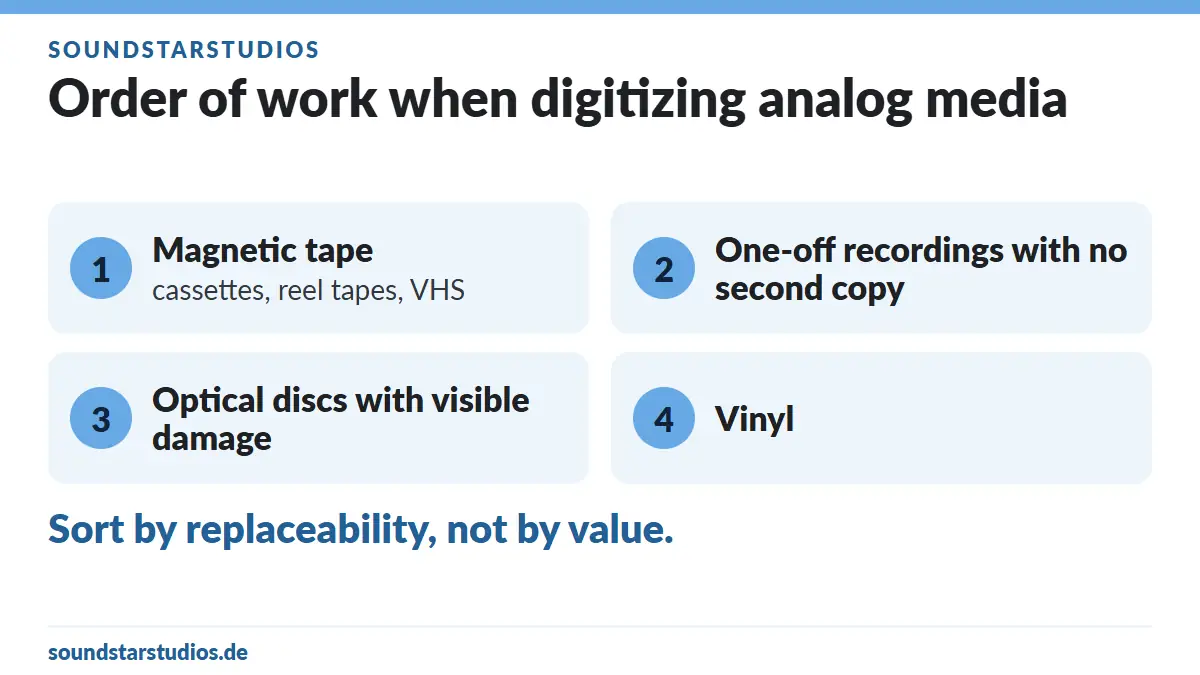
- Magnetic tape — cassettes, reel tapes, VHS. Magnetic tape is a chemical product; backing, binder and shell change over decades, even unplayed.
- One-off recordings with no second copy — family recordings, concert tapes, band rehearsals, interviews. These exist exactly once.
- Optical discs with visible damage.
- Vinyl — a record stored dry and upright barely changes. It has time, as long as nobody plays it.
Sorting by value helps little. Sort by replaceability: the commercially released LP can be bought again second-hand; the cassette with your grandmother’s voice cannot.
Sample rate and bit depth: what the package tiers mean
The three packages differ mainly in recording resolution:
| Package | Resolution per the service page |
|---|---|
| Basic | up to 44.1 kHz / 16-bit PCM |
| Pro | up to 48 kHz / 24-bit PCM |
| Ultra | up to 192 kHz / 32-bit PCM |
How to choose? By purpose, not by the biggest number:
- 44.1 kHz / 16-bit is CD quality. For listening copies, speech recordings and material whose source is noisy anyway, this is entirely sufficient.
- 48 kHz / 24-bit gives more headroom. That matters in practice when levels vary widely — live recordings, for example.
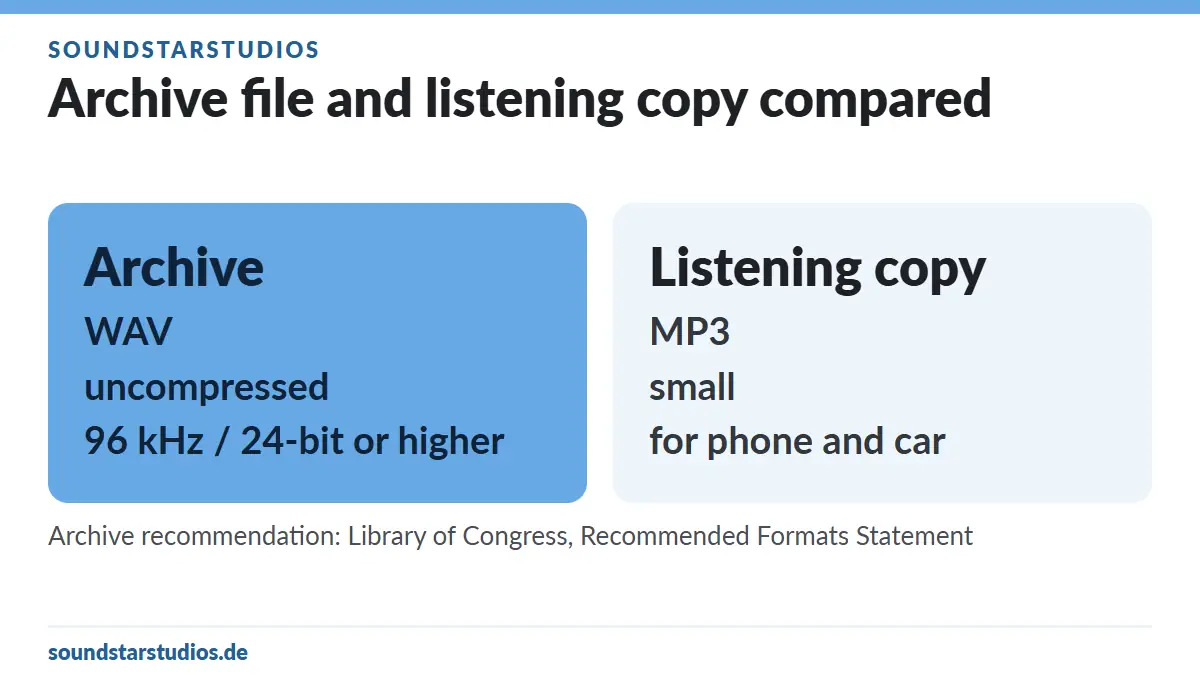
- 96 kHz or more / 24-bit and above is the archive tier. In its "Recommended Formats Statement" for audio, the Library of Congress explicitly prefers high-resolution files from 96 kHz/24-bit upwards, uncompressed over compressed files, and WAVE files with embedded metadata (Broadcast WAVE).
Two things that are often misunderstood:
- Higher resolution does not improve the source. It preserves the transfer more completely — it does not create information that is not on the tape. A noisy cassette deck delivers exactly the same noise at 192 kHz, just more precisely.
- Do not have files up-sampled. The same source gives the more honest result in native resolution; an up-sampled file gains nothing and only grows larger. The Library of Congress recommendation says the same.
Sensible practice: archive file high and uncompressed, listening copy small. According to the service page you get both anyway — all tracks are delivered as downloads in WAV and MP3. That is the audio delivery per the service page. For video (VHS and Super-VHS): We agree on the video format you need when you book your appointment.
Editing and restoration: what works and what does not
Editing is included in the packages: removing lead-in and run-out, separating sides, shortening pauses, cleanly splitting tracks.
Restoration is optional and costs, per the service page, €25 in Basic and Pro (denoise/declick) or €50 as total denoise/declick in Ultra. Two sober notes:
- Declick removes clicks and impulse noise. This works well on vinyl.
- Denoise reduces the noise floor. It works, but it always costs some high frequencies and spatial depth. Over-denoise and you get a clean but dull recording.
Hence the recommendation: always ask for the unprocessed master as well. The processed version is for listening, the master is the archive. Denoising can be repeated at any time; lost treble cannot be brought back. If the material is later to become a release, mixing and mastering take it further — bookable as a €50 option according to the service page.
Titles, track list, file names: the part that matters later
An unlabelled digitized file is a mystery object. So prepare:
- For music: artist, album title, year, running order, side A and B.
- For private recordings: date, place, occasion, who is heard. Write it on a slip of paper and put it with the cassette, not in your memory.
- For interviews and rehearsals: project, session, take numbers if known.
- A clear file-naming logic, for example
1987_Summer_Holiday_LakeGarda_SideA.wav. Consistent, no spaces, date first — then the archive sorts itself.
These details belong in the file’s metadata later. That is exactly what the Library of Congress means by preferring WAVE files with embedded metadata over files without.
What you may do with the files afterwards
Two cases to keep apart:
Your own recordings. Family recordings, your own rehearsals and productions, interviews you conducted yourself: no third-party rights attach to the content, and the use is yours to decide. If other people are audible, consideration is still in order before anything goes public.
Commercially released material. For records, cassettes and CDs containing commercially released music, copyright continues to apply. In short: a copy for your own private use is permitted; you may not distribute it or use it for public performance. Where the content belongs to someone else or is protected, the necessary permissions must be in place. The statutory basis is Section 53 UrhG; the link is in the sources below.
In practice: the file is for you and your archive. No upload to YouTube, no sale, no distribution list, no public screening. And if the material is to become a release — reissue, compilation, documentary — you need the rights holders’ permission. Say in the briefing what kind of material it is, and what is possible gets settled in advance.
Time and package choice: a worked example
| Material | Real running time | Suitable package |
|---|---|---|
| One LP, both sides | approx. 40–50 minutes | Basic or Pro (60 minutes) |
| One C90 cassette | 90 minutes | Ultra (90 minutes) |
| Two C60 cassettes | 120 minutes | Ultra plus a follow-up session |
| One VHS tape, 180 minutes | 180 minutes | several sessions, agree in advance |
Add side changes, level setting and spot checks. If you have more material than fits one package, bring all of it anyway and set priorities on site — then the most important items are transferred first in any case.
Prices
The packages are published on the service page and reproduced here unchanged (as of 5 October 2026):
| Package | Time | Resolution | Price |
|---|---|---|---|
| Basic | 60 minutes or one album length | up to 44.1 kHz / 16-bit PCM | €49 |
| Pro | 60 minutes or one album length | up to 48 kHz / 24-bit PCM | €79 |
| Ultra | 90 minutes or one album length | up to 192 kHz / 32-bit PCM | €149 |
| Option Basic/Pro | denoise / declick | — | €25 |
| Option Ultra | total denoise / declick | — | €50 |
| Option, all tiers | mixing / mastering | — | €50 |
Included in all tiers: editing, studio quality and all tracks as a download in WAV and MP3 — that is the audio delivery per the service page. According to the service page the packages are also available as a voucher.
All prices are final prices including statutory VAT.
The current figures on Record / VHS / Tape digitize and in the price list remain authoritative.
Common mistakes – and how to avoid them
- Bringing everything at once with no running order. Then chance decides what gets transferred. Prioritise by replaceability.
- Cleaning or taping things yourself. Makes damage permanent. Bring it untreated.
- Wanting only the highest resolution. The source determines what makes sense. What matters is getting an uncompressed archive file.
- Keeping only the processed version. The master is the archive.
- Supplying no labels. In five years nobody knows who is speaking on
Track 07.wav. - Keeping a single copy. Two drives in two places — or one drive plus cloud.
FAQ – digitizing analog media
How long does digitizing a record take?
As long as the record plays — usually 40 to 50 minutes for both sides, plus preparation and editing. Basic and Pro are designed for 60 minutes, Ultra for 90.
Which formats do I receive?
According to the service page, all tracks as a download in WAV and MP3 — that is the audio delivery. The WAV file is your archive, the MP3 the listening copy. For video (VHS and Super-VHS): We agree on the video format you need when you book your appointment.
Which resolution should I choose?
For listening, CD quality is enough. For an archive meant to last, a higher, uncompressed resolution is the better choice — the Library of Congress prefers 96 kHz/24-bit or higher and uncompressed files for audio.
Can a damaged tape still be saved?
Often yes, sometimes partly, rarely not at all. What matters is that it is not simply put into a deck. Describe the damage in advance and decide together what makes sense.
Are clicks and noise removed automatically?
No. Editing is included; denoise and declick are optional (€25 in Basic and Pro, €50 as the total variant in Ultra). It is sensible to keep both versions.
Is the picture digitized from VHS as well?
Yes. VHS and Super-VHS are digitized completely, picture and sound. We agree on the video format you need when you book your appointment. The service page’s "all tracks as a download in WAV and MP3" refers to the audio delivery.
May I put my digitized record collection online?
No. Copyright continues to apply to commercially released music: the copy is for your private use, not for distribution or public performance. Where the content belongs to someone else or is protected, the necessary permissions must be in place. Listening and archiving privately is not the same as publishing.
Do I get my originals back?
Yes. The media stay yours; they are transferred, not surrendered. Pack them so nothing shifts in transit.
Your appointment at the recording studio in Munich
Bring your media sorted and labelled, and the running order is settled in five minutes — the rest of the time belongs to the transfer.
- Record, VHS and tape digitization: packages and details
- Book online
- Send an enquiry
- Price list
- Location and directions
- Prepare for a vocal recording: backing track, key and workflow
Sources for the technical and legal statements
- Library of Congress, "Recommended Formats Statement – Audio Works": https://www.loc.gov/preservation/resources/rfs/audio.html
- Section 53 of the German Copyright Act (UrhG), reproduction for private and other personal use: https://www.gesetze-im-internet.de/urhg/__53.html
Last Updated on 10/10/2026 by SOUNDSTARSTUDIOS
